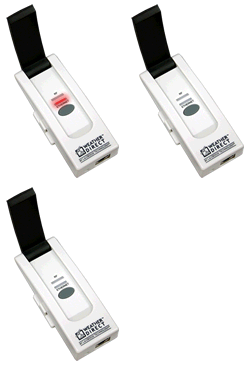
 Red (Ethernet) light blinks 1 time only within 30 seconds of being plugged in
This means that no Ethernet cable is attached to the Gateway. Items to Check:
- Make sure the included Ethernet cable is connected properly (see illustration back on the main Gateway Help page).
- Try another cable (use any standard Cat5 LAN cable).
- Do you have a Router? Make sure it is turned on and the gateway cable is plugged into the Router.
- Try another open port on the Router.
- Try a complete reboot of the router, modem & PC to be sure everything clears.
Power Cycle the Gateway
- Unplug the a/c cord from the gateway for 10 seconds.
- Do not touch the gray gateway button.
- Plug the a/c cord into the gateway.
If you still cannot register your gateway, it may need a factory reset.
Reminder: If you have previously registered the gateway, you must delete any associated devices and the gateway from your Weather Direct account before the reset.
Gateway Factory Reset (after delete from website)
- Unplug the a/c power for 10 seconds. Press and Hold the gray button on the gateway before plugging the a/c power in again.
- Continue to hold the gray button for 30 seconds after inserting the a/c power cord.
- The Red Ethernet light will come on after about 10 seconds (continue holding), then go off for about 10 seconds, then come back on again.
- When the second red light appears, you can release the gray button. (We are not concerned about the green RF data light at this time.)
Note: Within 30 seconds the Red Ethernet light should flash in sets of 4 blinks, pause, 4 blinks pause, etc.
If it takes longer then 30 seconds to get to 4 blinks, you probably have a false positive reading, are not connecting and cannot register. The gateway will go to 4 blinks (with a default IP address) if given enough time.
Return to the Factory Reset section above. Count the lights again and if the steps failed, see below.
If you contact Technical Support please include:
- Make and model of your Router
- Make and model of your Modem
- Your Internet Service provider
- Weather Direct® User Name on the website
- Gateway Serial number (8-digits)
- Data Server IP address
- Your complete contact information
|