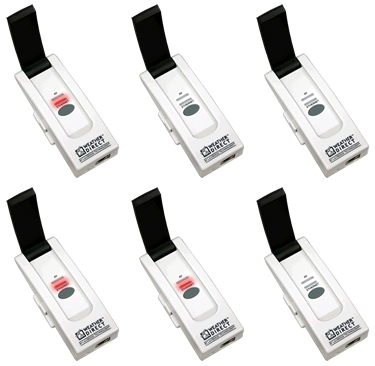
Red (Ethernet) light blinks in sets of 4 within 30 seconds of being plugged in
Your Gateway is ready to register with the Weather Direct® servers. Technically, this means the gateway has:
- confirmed a LAN cable is connected (1 blink)
- was assigned an IP address (2 blinks)
- found our server via DNS to box.weatherdirect.com (3 blinks)
- is ready to register (4 blinks). If so, skip down to the Register Your Gateway link at the end of this section.
If you cannot register your gateway, the gateway may need to be factory reset.
Reminder: If you have previously registered the gateway, you must delete any associated devices and the gateway from your Weather Direct account before the reset.
Gateway Factory Reset (after delete from website)
- Unplug the a/c power for 10 seconds. Press and Hold the gray button on the gateway before plugging the a/c power in again.
- Continue to hold the gray button for 30 seconds after inserting the a/c power cord.
- The Red Ethernet light will come on after about 10 seconds (continue holding), then go off for about 10 seconds, then come back on again.
- When the second red light appears, you can release the gray button. (We are not concerned about the green RF data light at this time.)
Note: Within 30 seconds the Red Ethernet light should flash in sets of 4 blinks, pause, 4 blinks pause, etc.
If it takes longer then 30 seconds to get to 4 blinks, you probably have a false positive reading, are not connecting and cannot register. The gateway will go to 4 blinks (with a default IP address) if given enough time.
Return to the Factory Reset section above. Count the lights again and if the steps failed, skip to the Back link below.
Register your Gateway here.
|